



Download Snuko – Secure Your Laptop from Theft with Backup & Remote Tracking
Snuko is a powerful security software designed to protect your laptop from theft and data loss. This innovative tool combines real-time device tracking, automatic data backup, and remote access control to give you full control over your device, even if it’s lost or stolen. By running silently in the background, Snuko ensures your privacy and security without disrupting your daily workflow.
With features like scheduled backups, geolocation tracking, network logs, and screenshot capture, Snuko offers a comprehensive solution for digital safety. Whether you're a remote worker, student, or business professional, Snuko provides peace of mind knowing your sensitive files and personal data are safe. The software supports Windows and Mac operating systems and allows you to remotely lock your device, retrieve backed-up files, and receive alerts when unauthorized access is detected.
While Snuko is no longer available for download, its legacy lives on as a benchmark in personal device security.
Key Features of Snuko – Why It Stands Out
Snuko was built with one goal in mind: to safeguard your laptop from theft and data breaches. Its standout features make it a top-tier choice for anyone concerned about digital security. First and foremost, automatic remote backup ensures your most important files—documents, photos, financial records—are securely stored on a remote server. This feature runs on a schedule, so you never have to worry about manually backing up your data. Even if your laptop is stolen, your files remain safe and accessible from any device.
Another powerful feature is real-time device tracking. If your laptop goes missing, you can log into the Snuko web portal and instantly see its current geographic location. The software uses GPS, Wi-Fi triangulation, and IP address data to pinpoint the device’s whereabouts. In addition to location, Snuko captures network information and periodic screenshots, which can help identify the thief or confirm the device’s usage.
For enhanced security, Snuko allows remote locking of your device. You can lock your laptop from anywhere, preventing unauthorized access. You can also set up access alerts that notify you when your laptop is used on an unfamiliar network or by an unknown device.
These alerts act as early warning systems, giving you time to respond before data is compromised. The software runs quietly in the background, consuming minimal system resources, so it won’t slow down your computer. With its intuitive interface and seamless setup, Snuko made personal device protection accessible to users of all technical levels.
How to Use Snuko – Simple Setup & Daily Protection
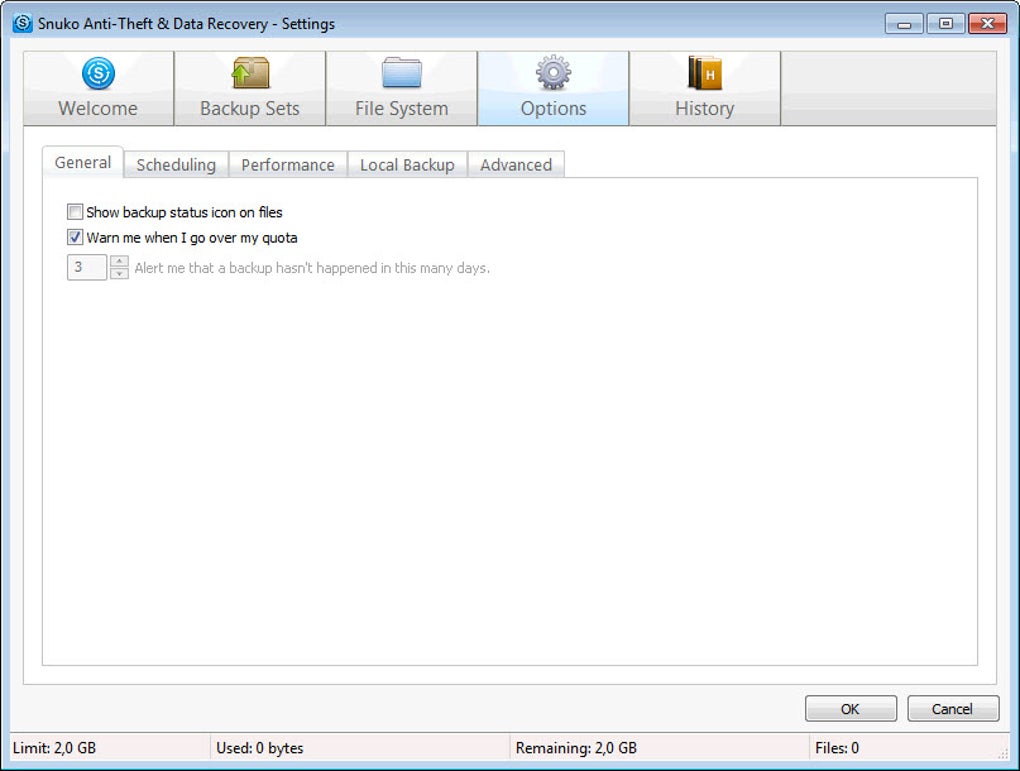
Setting up Snuko was straightforward and user-friendly. After downloading the software (available for Windows and Mac), you’d install it and create a secure account on the Snuko website. During installation, you could choose which files and folders to back up—whether it’s your entire Documents folder, a specific project, or personal photos. You could also set the backup frequency: hourly, daily, or weekly—depending on your needs.
Once configured, Snuko ran silently in the background, requiring no further input. The software used minimal CPU and memory, ensuring it didn’t interfere with your work or gaming sessions. If your laptop was ever lost or stolen, you’d simply visit the Snuko website, log in, and report the device as missing. Instantly, the software would begin gathering intelligence: location data, network details, and screenshots every few minutes.
From the dashboard, you could view the collected information, download your backed-up files, and issue a remote lock command. The entire process took less than five minutes. For users who wanted extra protection, Snuko allowed you to set up custom alert rules, such as notifications when the laptop connects to a new Wi-Fi network or when someone attempts to log in with an unrecognized device. This proactive approach helped prevent data breaches before they happened. The software also included a remote wipe option, which permanently deleted all data from the device if recovery wasn’t possible—ideal for protecting sensitive business or personal information.
Compatibility & System Requirements
Snuko was compatible with both major operating systems: Windows 7 and later, including Windows 10 and Windows 11, and macOS 10.12 (Sierra) and above. This broad compatibility ensured that users across different devices could benefit from its security features. The software was lightweight, requiring only 50 MB of disk space and minimal RAM, making it suitable for older laptops and low-end machines.
For mobile users, Snuko offered a companion web interface accessible from any browser—no app needed. This meant you could monitor your device from a smartphone, tablet, or another computer. While there was no dedicated Android or iOS app, the web-based control panel provided full functionality. The software supported both wired and wireless connections, ensuring it worked whether your laptop was at home, in a café, or in the office.
Security was a top priority. Snuko used end-to-end encryption to protect your data during transmission and storage. All backups were encrypted on the user’s device before being uploaded, and only you had access to the decryption key. This ensured that even if the remote server were compromised, your data would remain secure. The software also supported two-factor authentication (2FA) for account access, adding an extra layer of protection against unauthorized logins.
Pros and Cons of Snuko – Honest Review
- Pros:
- Automatic, scheduled backups with cloud storage
- Real-time location tracking using GPS and Wi-Fi
- Remote locking and data wiping capabilities
- Periodic screenshot capture for evidence
- Low system resource usage
- End-to-end encryption for data security
- Simple, intuitive web dashboard
- Access alerts for unknown devices/networks
- Cons:
- Software is no longer available for download
- No dedicated mobile app for Android or iOS
- Dependent on internet connectivity to function
- Advanced features require a paid subscription
- Some users reported delayed location updates in rural areas
Frequently Asked Questions (FAQ)
-
Is Snuko still available to download?
No, Snuko is no longer available for download. The developers have discontinued the software, and the official website is no longer active. However, its features are still relevant, and you can explore similar tools for device protection.
-
Can I recover my files if my laptop is stolen?
Yes, if you had Snuko set up with automatic backups, your files were securely stored on a remote server. You could access and download them from any device by logging into your Snuko account.
-
How does Snuko track my laptop’s location?
Snuko uses a combination of GPS, Wi-Fi network triangulation, and IP address data to determine the device’s location. The accuracy depends on the availability of these signals, with GPS providing the most precise results.
-
Does Snuko work without an internet connection?
No, Snuko requires an active internet connection to send location data, screenshots, and backup files to the remote server. If your laptop is offline, it will store data locally and send it once connectivity is restored.
-
Is Snuko secure? Does it encrypt my data?
Yes, Snuko used end-to-end encryption for all backups and communications. Your data was encrypted on your device before upload, and only you had the decryption key, ensuring maximum privacy and security.
Final Verdict & Recommendation
Although Snuko is no longer available for download, it remains a shining example of what a comprehensive laptop security tool should be. Its blend of automatic backup, remote tracking, and remote access control offered unmatched peace of mind for users concerned about theft and data loss. The software was easy to set up, ran efficiently in the background, and provided robust protection without compromising performance.
If you’re looking for a modern alternative, consider tools like Prey Anti-Theft, LoJack for Laptops, or Microsoft’s Find My Device for Windows. These apps offer similar features—real-time tracking, remote lock, file recovery, and alerts—while being actively maintained and updated.
For anyone who values their digital safety, now is the time to act. Secure your laptop today with a reliable, up-to-date solution. Download a trusted alternative now and protect your data before it’s too late.







